

Free trial
Free15 days
- Every feature
- 3 AI uses included
- No credit card required
- Nothing to cancel
For your first movie or the draft you’re ready to finish. Plan your story, find the next scene, and turn it into pages.
15-day trial · No credit card required
For Mac · macOS 13.0+ · Apple Silicon & Intel
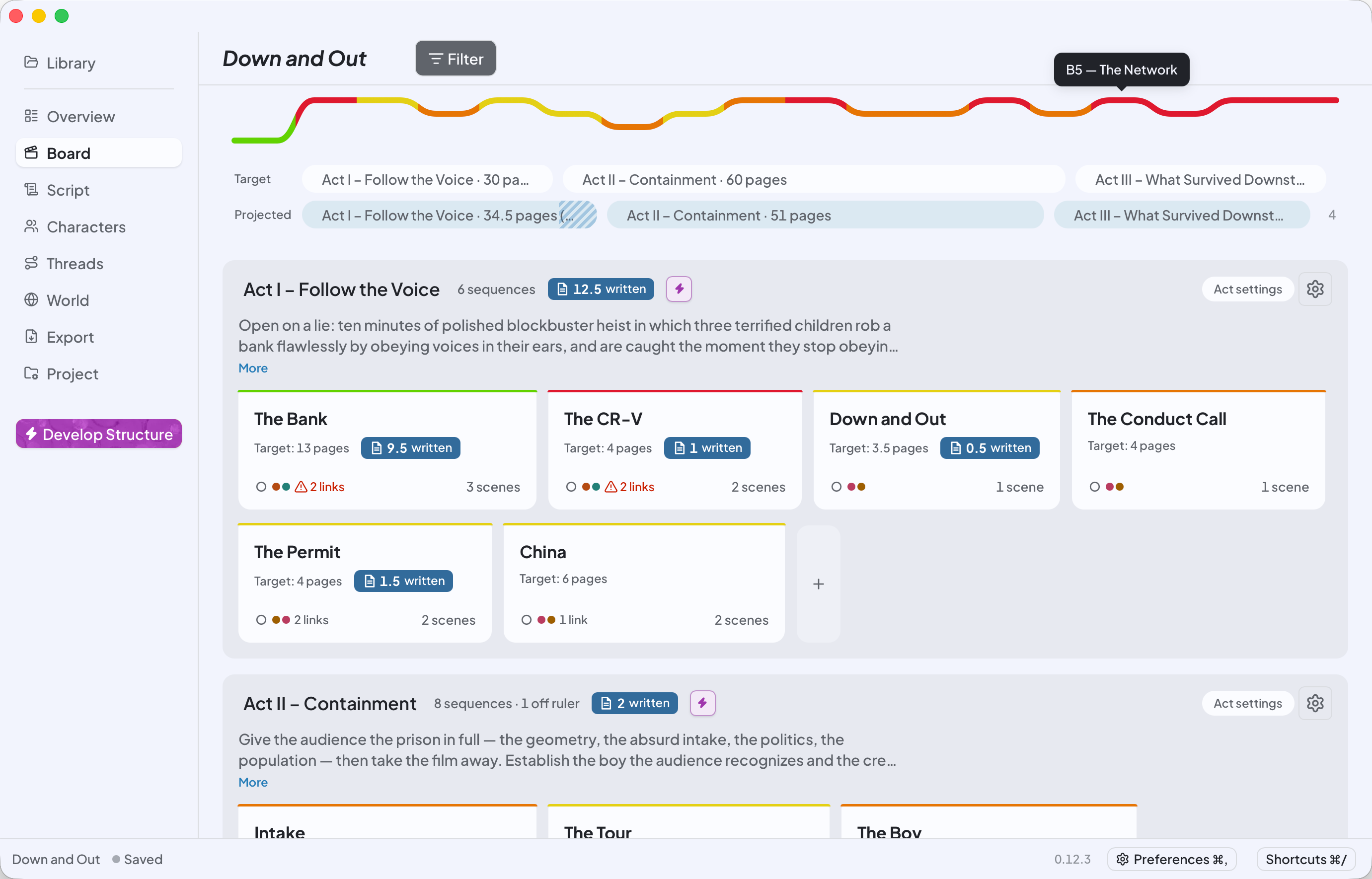
Plan your story
See the whole movie. Find one scene you can write today.
Type it out or talk it through. Give the characters, turns, and scenes a place to grow.
Step back, spot what’s missing, and find the scene that gets you writing again.
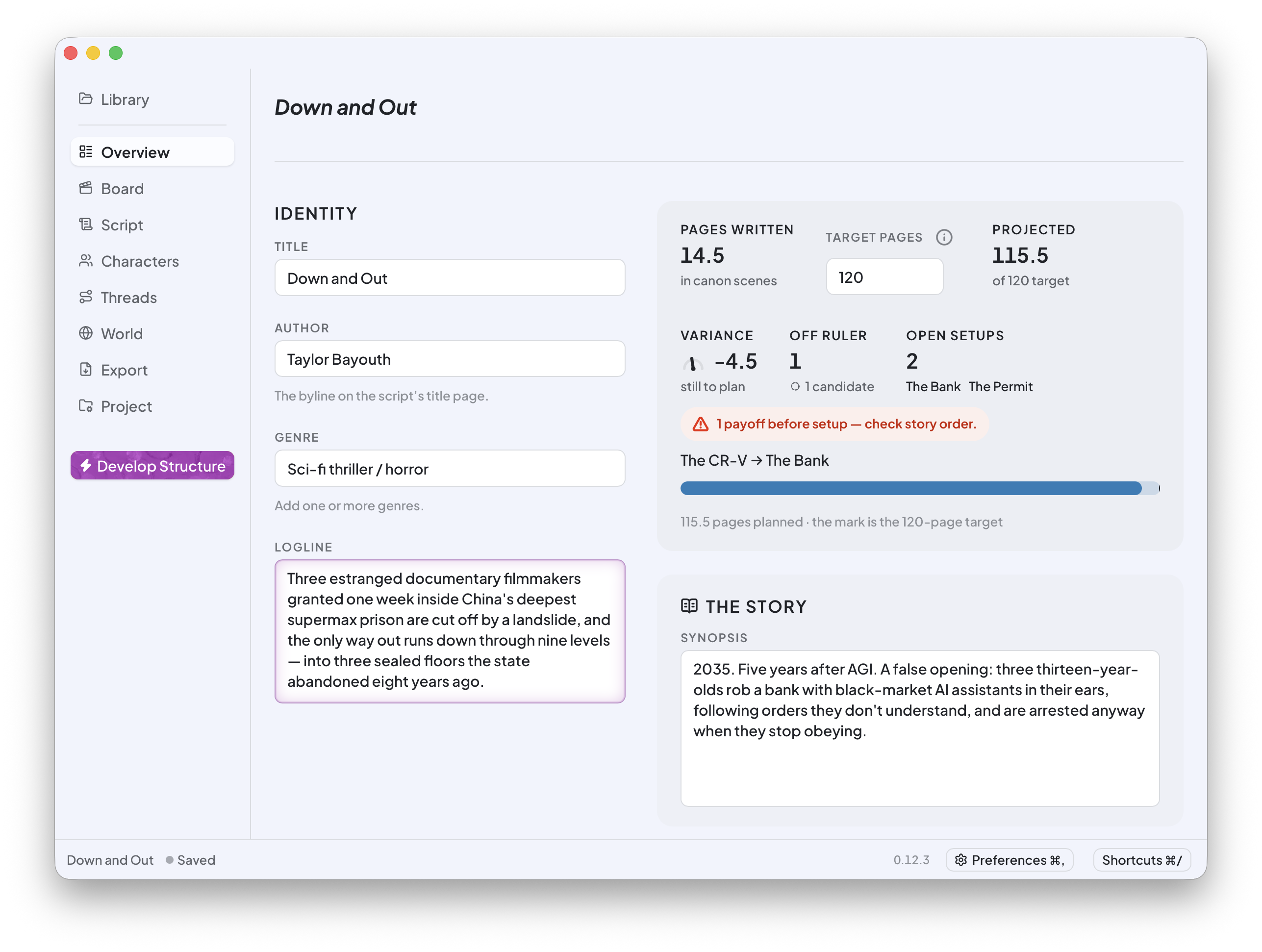
Written pages, planned length, and loose ends. One place to take stock.
Write your pages
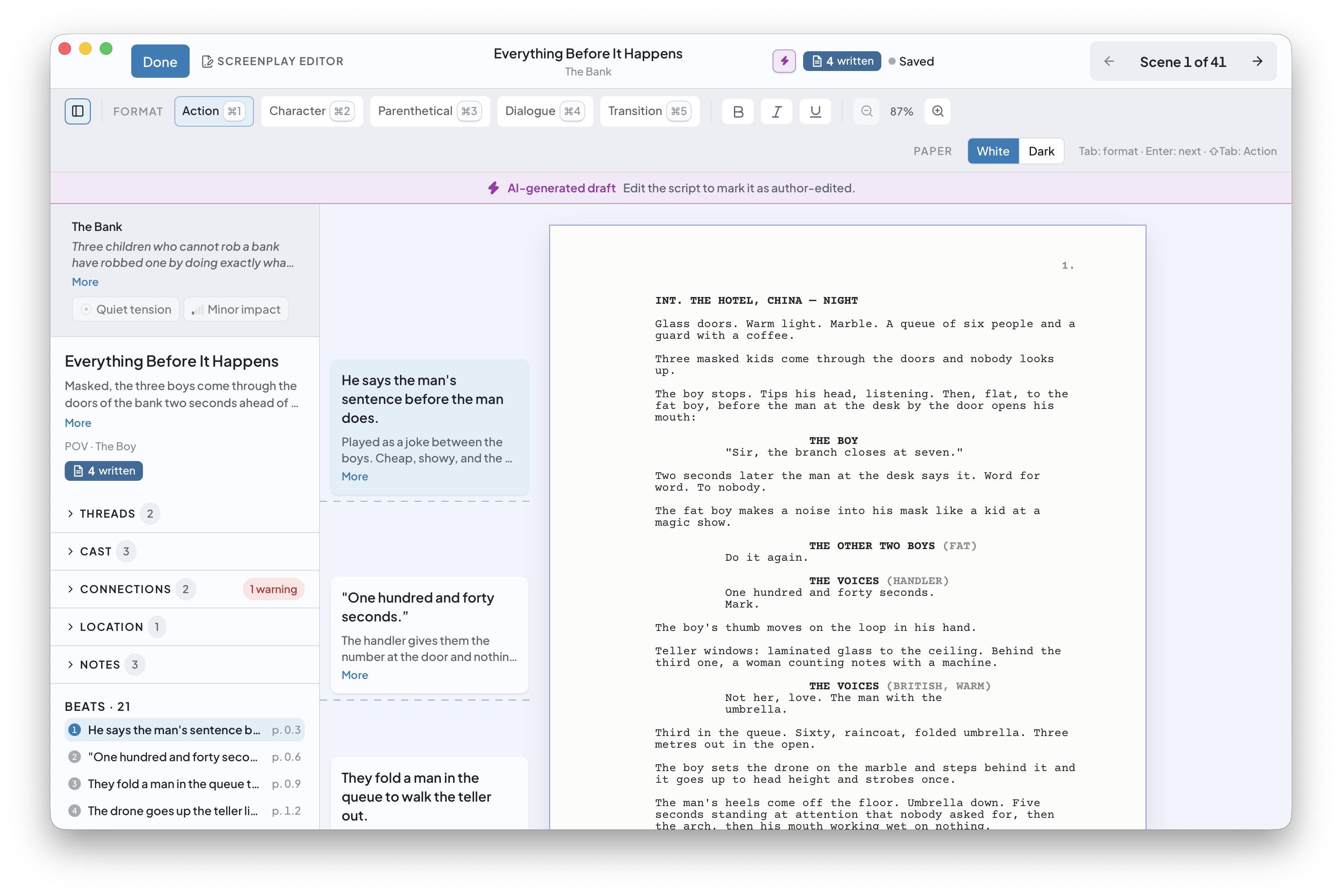
Know what needs to happen before you write the first line. Your beats stay beside the screenplay, so you can stay in the scene.
15 days to find your rhythm. No credit card required.
Your beats, cast, threads, and connections stay beside the page.
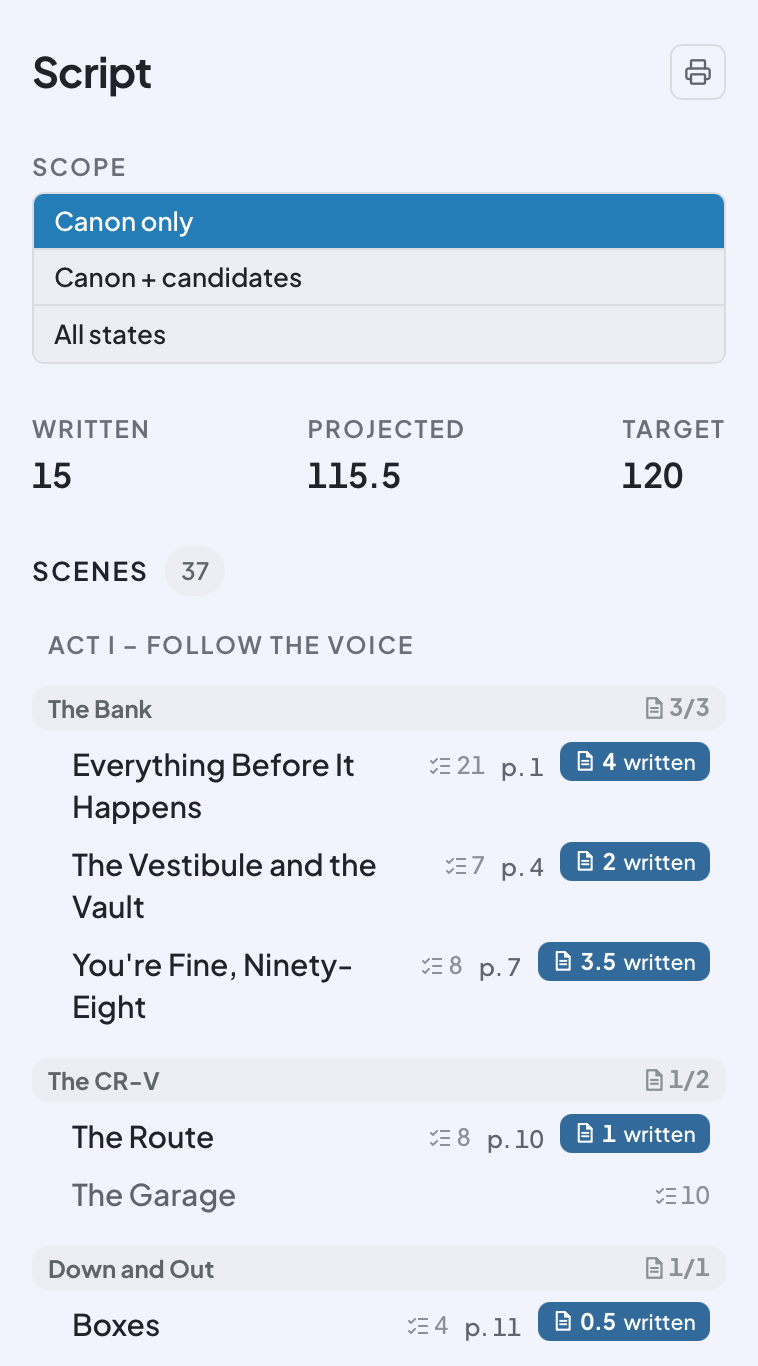
Track what you’ve written against what you planned, scene by scene.
Screenplay formatting follows as you type. Move to the next scene when you’re ready.
Get unstuck
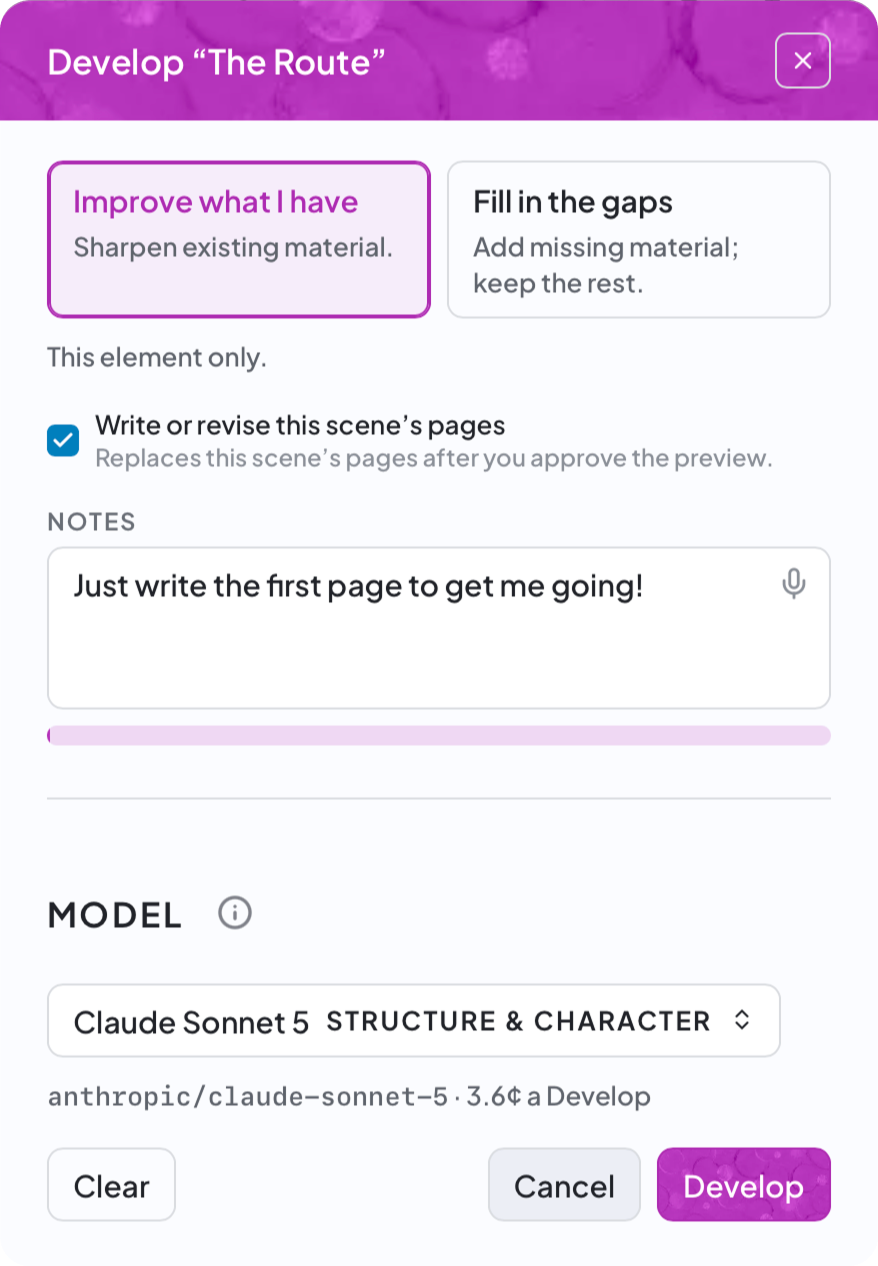
Stuck on what happens next? Strengthen a beat, fill a gap, or get a first page to work with. You decide what stays.
Type or dictate a note about the part that has you stuck.
Improve existing material or fill the gaps, using your story as context.
Preview the changes and choose what to keep. AI-generated pages stay marked until you edit them.
AI is optional. Your free trial includes 3 AI uses.
Keep it connected
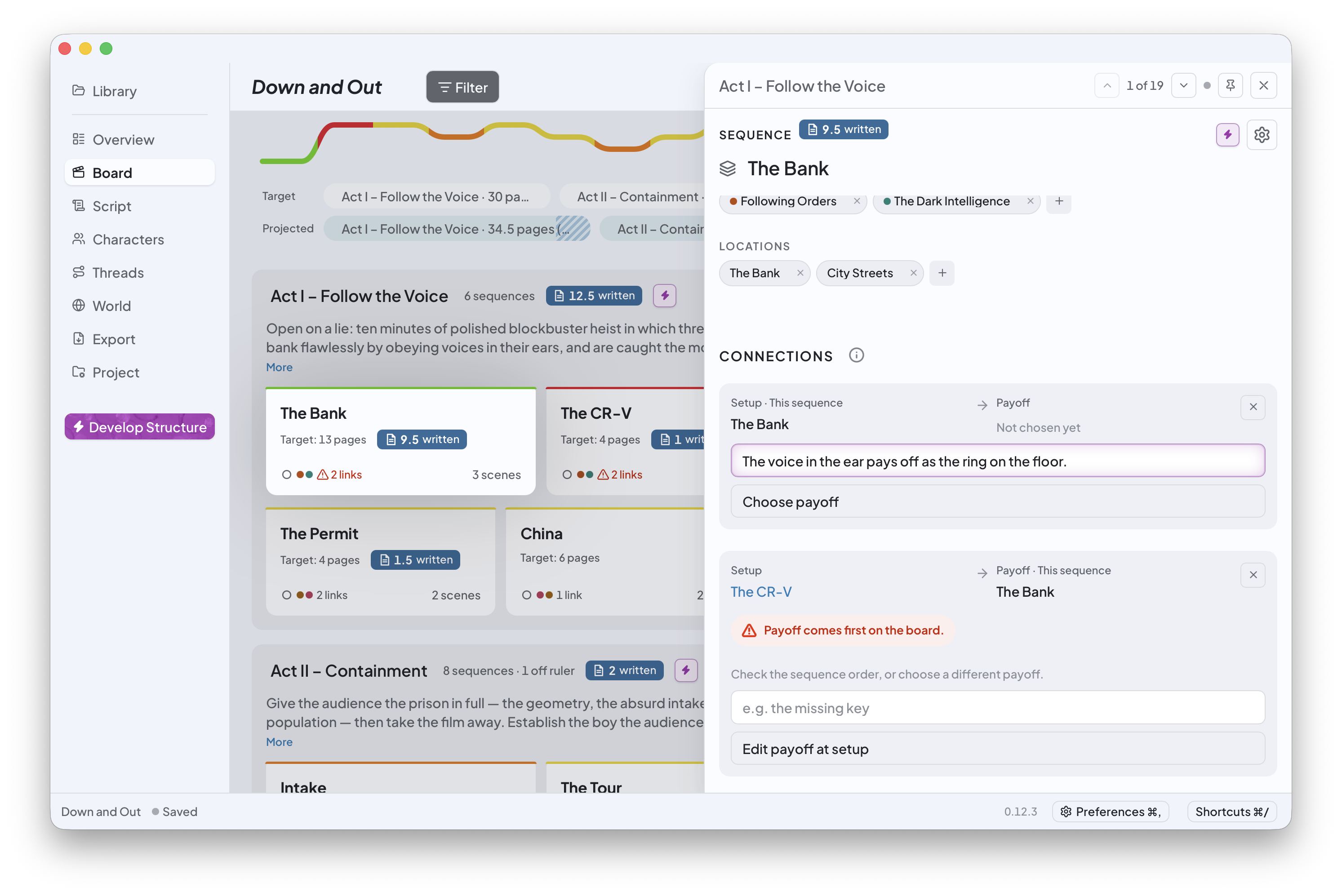
That clue in Act I should mean something in Act III. Keep the connections in view as you move the story around.
Track a character arc or subplot across the sequences it touches.
Link a setup to its payoff and keep the reason beside it.
Move things around. Beatstack flags a payoff that now comes before its setup.
Yours to keep
Write and plan offline. AI needs an internet connection.
Back up, move, or share your project files.
Export to Final Draft or PDF. Take your outline and character bible, too.
Simple pricing
Free15 days
$39.95Pay once. Own it.
AI is optional. Your trial includes 3 AI uses. After purchase, connect your own AI account. Usage is billed separately.
Beatstack 0.13.6 · macOS 13.0+ · Apple Silicon and Intel
Your first screenplay starts with a scene.
So does finishing the one you’ve already started.
We’ll email your download link and 15-day trial. No credit card required.
For macOS 13.0+ · Apple Silicon & Intel